
 tidepool_brief.pdf
 Spring launch brief
- Find a visual world we can own.
- One 60s hero film, slow and warm.
- Cast real local swimmers.
- Shoot golden hour, Big Sur.
Brainstorm, write, plan, present, and get sign-off in one shared space, so nothing gets lost in the handoffs.
You’re on the list. We’ll email you when your invite is ready.
Start with the brief.Make a plan.Find the idea.Build the world.Synthesize your work.Sell the vision.
Then make the thing, all in the same place.
Discover your team’s collective flow state
Start with a sticky. End with a treatment, frames, and the thing nobody could describe until you made it.
Drop in the transcripts, threads, and files. Hyperchat turns raw context into answers, plans, and next steps. Then it builds you the whiteboards, documents, and workspaces to do the work together.
Tasks and deadlines live right next to the work they affect. Everyone can see where the project stands.
Get feedback on your pitch, script, video, budget, timeline, or anything else in your project.
Start free. Upgrade when the work gets real.
You’re on the list. We’ll email you when your invite is ready.
Hyperdeck is the product made by and for Direct Message, a digital creative studio. DM is a bootstrapped team of 20 people in Northern California making, designing, strategizing, and producing for name-brand media and entertainment clients.
We built Hyperdeck because we needed it. Every day we switch between docs, whiteboards, AI tools, and spreadsheets. We wanted one place where it all just works and where our whole team could see the same thing at the same time.
This isn’t a VC-funded cash grab. It’s a tool built by people who use it every day, for people who work like we do. We’re deeply focused on our community. If we’re not hitting the mark, tell us in Discord. We want to solve your problem.
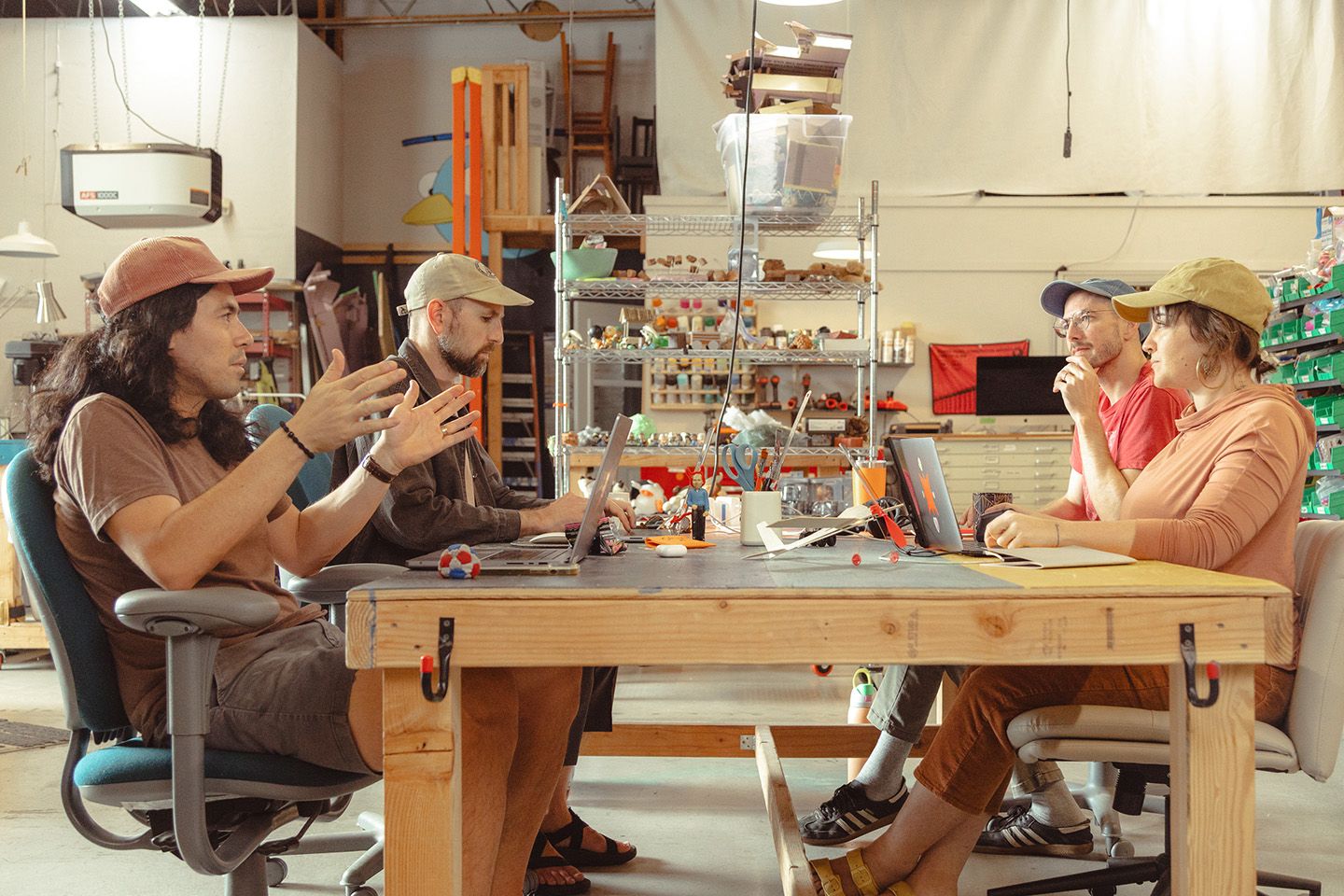
Hyperdeck is a shared workspace for creative teams. Whiteboards, documents, tasks, files, feedback, and AI live together, so you can spend less time fighting your workflow and more time making the work. Think fewer handoffs, fewer lost decisions, and fewer tabs you’re afraid to close.
 WhiteboardsArrange, draw, and connect ideas on a canvas with no edges
 DocumentsLong-form writing that everyone edits together
 SpreadsheetsFormulas and formatting, from CSV and Excel too
 Tasks and calendarEvery task on a board, a sheet, or its date
 Files and mediaPDFs, images, video, and audio, with comments on them
 HyperchatAn assistant that works right in your space
Agencies, marketing teams, designers, producers, and anyone who makes things with other people. We originally built Hyperdeck for Direct Message, a creative studio that still uses it every day. The product grew out of real projects, real deadlines, and the strange number of places a single piece of feedback can hide.
Say you’re developing a campaign. It might go like this:
1Collect referencesPin images, notes, and links on a whiteboard2Write the briefTurn the promising direction into a document3Plan productionAssign tasks and put them on the calendar 4Share for reviewSend a review link and collect the feedback
The ideas, decisions, assets, and next steps stay connected. No one has to reconstruct the story of the project from seventeen links and a chat thread.
Yes. Your team can work in the same space at the same time with Working together  Real-time collaboration Everyone in a space works on the same thing at once. See who’s here and what they have open, jump to them, or follow along.
Read the guide , see changes to shared work, and discuss it through Feedback
Real-time collaboration Everyone in a space works on the same thing at once. See who’s here and what they have open, jump to them, or follow along.
Read the guide , see changes to shared work, and discuss it through Feedback  Comments Feedback pinned to the work: a spot on a whiteboard, words in a document, a point on an image or a moment in a video, each with its own thread.
Read the guide and Working together
Comments Feedback pinned to the work: a spot on a whiteboard, words in a document, a point on an image or a moment in a video, each with its own thread.
Read the guide and Working together  Messaging Every space has its own chat for everyone in it. Attach work, reply in threads and react.
Read the guide . Feedback belongs next to the thing it’s about—not stranded in someone’s inbox.
Messaging Every space has its own chat for everyone in it. Attach work, reply in threads and react.
Read the guide . Feedback belongs next to the thing it’s about—not stranded in someone’s inbox.
Yes. Send a public Sharing Review links One link that sends live work out for review. A public link shows one document, table or whiteboard to anyone, no account needed, read-only.
Read the guide to specific work and someone can view it without an account. For an ongoing collaboration, a space admin can People  Guests Invite anyone into a space by name or email. Guests join free and can create, edit and comment; their AI work spends their own Hypercoins, not yours.
Read the guide and choose their role. A review link shares the selected work, not the whole space. Less ceremony for the client; more control for your team.
Guests Invite anyone into a space by name or email. Guests join free and can create, edit and comment; their AI work spends their own Hypercoins, not yours.
Read the guide and choose their role. A review link shares the selected work, not the whole space. Less ceremony for the client; more control for your team.
You control People  Access and roles Each space is Open, Limited or Private, and each person in it has a role: Admin, Editor, Viewer or Guest.
Read the guide at the space level. A private space is limited to invited people; other settings can give members of your The basics
Access and roles Each space is Open, Limited or Private, and each person in it has a role: Admin, Editor, Viewer or Guest.
Read the guide at the space level. A private space is limited to invited people; other settings can give members of your The basics %20scale(1.13)%20translate(-200%20-200)'%3e%3cg%20transform='translate(5.31%205.31)'%3e%3ccircle%20cx='200'%20cy='200'%20r='140'%20fill='black'/%3e%3cg%20clip-path='url(%23world-globe)'%3e%3ccircle%20cx='186'%20cy='186'%20r='134'%20fill='black'/%3e%3cpath%20d='M50%20112C82%2088%20132%2074%20176%2084C206%2091%20214%20116%20196%20134C180%20150%20160%20150%20156%20172C152%20194%20134%20208%20112%20214C88%20220%2070%20240%2050%20236Z'%20fill='black'%20stroke='black'%20stroke-width='3.32'%20stroke-linejoin='round'/%3e%3cpath%20d='M232%20176C258%20162%20300%20166%20322%20188C342%20208%20336%20238%20312%20252C292%20264%20290%20288%20276%20310C262%20332%20236%20330%20230%20306C224%20284%20210%20270%20216%20246C222%20222%20206%20192%20232%20176Z'%20fill='black'%20stroke='black'%20stroke-width='3.32'%20stroke-linejoin='round'/%3e%3cpath%20d='M118%20284C132%20272%20160%20274%20168%20290C176%20306%20156%20318%20136%20314C116%20310%20106%20296%20118%20284Z'%20fill='black'%20stroke='black'%20stroke-width='3.32'%20stroke-linejoin='round'/%3e%3cpath%20d='M268%2092C282%2084%20304%2090%20306%20104C308%20118%20290%20124%20276%20118C262%20112%20256%20100%20268%2092Z'%20fill='black'%20stroke='black'%20stroke-width='3.32'%20stroke-linejoin='round'/%3e%3c/g%3e%3cpath%20d='M98%20150C108%20126%20126%20106%20150%2092'%20stroke='black'%20stroke-width='10.62'%20stroke-linecap='round'/%3e%3ccircle%20cx='200'%20cy='200'%20r='140'%20stroke='black'%20stroke-width='4.42'/%3e%3c/g%3e%3ccircle%20cx='200'%20cy='200'%20r='140'%20fill='%231570CF'/%3e%3cg%20clip-path='url(%23world-globe)'%3e%3ccircle%20cx='186'%20cy='186'%20r='134'%20fill='%231E88F0'/%3e%3cpath%20d='M50%20112C82%2088%20132%2074%20176%2084C206%2091%20214%20116%20196%20134C180%20150%20160%20150%20156%20172C152%20194%20134%20208%20112%20214C88%20220%2070%20240%2050%20236Z'%20fill='%231FA463'%20stroke='black'%20stroke-width='3.32'%20stroke-linejoin='round'/%3e%3cpath%20d='M232%20176C258%20162%20300%20166%20322%20188C342%20208%20336%20238%20312%20252C292%20264%20290%20288%20276%20310C262%20332%20236%20330%20230%20306C224%20284%20210%20270%20216%20246C222%20222%20206%20192%20232%20176Z'%20fill='%231FA463'%20stroke='black'%20stroke-width='3.32'%20stroke-linejoin='round'/%3e%3cpath%20d='M118%20284C132%20272%20160%20274%20168%20290C176%20306%20156%20318%20136%20314C116%20310%20106%20296%20118%20284Z'%20fill='%231FA463'%20stroke='black'%20stroke-width='3.32'%20stroke-linejoin='round'/%3e%3cpath%20d='M268%2092C282%2084%20304%2090%20306%20104C308%20118%20290%20124%20276%20118C262%20112%20256%20100%20268%2092Z'%20fill='%231FA463'%20stroke='black'%20stroke-width='3.32'%20stroke-linejoin='round'/%3e%3c/g%3e%3cpath%20d='M98%20150C108%20126%20126%20106%20150%2092'%20stroke='%237CC4FF'%20stroke-width='10.62'%20stroke-linecap='round'/%3e%3ccircle%20cx='200'%20cy='200'%20r='140'%20stroke='black'%20stroke-width='4.42'/%3e%3c/g%3e%3c/svg%3e) Worlds Your team’s shared home: it holds the team’s spaces and members, and everything in it shares one bill. Everyone also gets a personal world of their own.
Read the guide broader access. Public Sharing Review links One link that sends live work out for review. A public link shows one document, table or whiteboard to anyone, no account needed, read-only.
Read the guide share selected work without opening the space behind it. Check those settings before sharing sensitive projects.
Worlds Your team’s shared home: it holds the team’s spaces and members, and everything in it shares one bill. Everyone also gets a personal world of their own.
Read the guide broader access. Public Sharing Review links One link that sends live work out for review. A public link shows one document, table or whiteboard to anyone, no account needed, read-only.
Read the guide share selected work without opening the space behind it. Check those settings before sharing sensitive projects.
No. Start with one project and see where Hyperdeck helps. Bring in Content types Files PDFs, Word documents and other files, up to 500 MB, previewed in place with comments anchored to the exact spot. Images, video and audio get their own players.
Read the guide such as PDFs, images, audio, and video; Content types Spreadsheets Real spreadsheets with formulas, formatting and multiple sheets, edited live together. Import CSV and Excel files, and export them back out.
Read the guide can import CSV and Excel files. Keep the specialized tools you need. You shouldn’t have to blow up a working process to fix the parts that aren’t working.
It might replace parts of that stack, depending on your team. Hyperdeck brings visual thinking on Content types Whiteboards A canvas with no edges. Place documents, notes, images and tasks anywhere, draw, and connect them with arrows.
Read the guide , writing in Content types Documents Rich pages for long-form writing that everyone edits together, with formatting, comments, saved versions and export.
Read the guide , Planning Tasks Every task in a space, as a board by status or a sheet you can type into, group and sort.
Read the guide , and review into the same workspace. If your biggest problem is the handoff between tools, that’s the part we’re trying to make less painful. If another tool earns its place, keep it.
 1WorldsA team, its members, and its spaces
 2SpacesOne per project or group: whiteboards, documents, tasks, media, and more
 3CollectionsGroup related things like folders, without making copies
The same item can sit in several Content types Collections Group related things like a folder. Adding an item references it, so the same document can sit in several collections and edits show everywhere.
Read the guide at once, and edits show everywhere. You can start simple; nobody gets a medal for designing the perfect folder tree before the first idea exists.
Ask AI Hyperchat Hyperdeck’s built-in assistant. Ask questions, or have it make notes, tasks, documents, tables, images and video in your space while you approve the changes.
Read the guide to find or summarize project material, help write a brief, create tasks, or organize what’s already in your space. It can also AI  Image and video Describe it and run it: generate images and video, restyle a source, or edit one thing about an image. Every model is on every plan.
Read the guide . On whiteboards, AI
Image and video Describe it and run it: generate images and video, restyle a source, or edit one thing about an image. Every model is on every plan.
Read the guide . On whiteboards, AI  Action cards Reusable prompt cards on the whiteboard. Attach notes and images, click Run, and the text, image or video lands right beside the card.
Read the guide let you run prompts with selected project context and return to them later. Think of AI as a way to get unstuck or move faster—not a substitute for your team’s taste.
Action cards Reusable prompt cards on the whiteboard. Attach notes and images, click Run, and the text, image or video lands right beside the card.
Read the guide let you run prompts with selected project context and return to them later. Think of AI as a way to get unstuck or move faster—not a substitute for your team’s taste.
Hyperchat offers a choice of models: the latest from OpenAI, Anthropic and Google, on every plan. AI work uses Pricing  Hypercoins AI work uses Hypercoins: chat, writing, images, and video. What a task uses depends on the model and the task.
Read the guide ; the cost depends on the model and task. Image and video actions show a price or estimate before you run them, and Hyperchat shows the cost of a completed reply.
Hypercoins AI work uses Hypercoins: chat, writing, images, and video. What a task uses depends on the model and the task.
Read the guide ; the cost depends on the model and task. Image and video actions show a price or estimate before you run them, and Hyperchat shows the cost of a completed reply.
| Writing and chat |
|---|
 GPT 6 Luna (default, fastest) GPT 6 Luna (default, fastest) |
| GPT 6 Sol |
 Gemini 3.1 Pro Gemini 3.1 Pro |
| Gemini 3.1 Flash Lite |
 Claude Haiku Claude Haiku |
| Claude Sonnet |
| Claude Opus |
| Gemma 4 |
| GPT OSS 120b |
| Images |
|---|
| GPT Image 2.5 (Flare, Sunburst) |
| GPT Image 1 Mini |
| Nano Banana |
| Nano Banana 2 |
| Nano Banana Pro |
 Seedream 4.5 Seedream 4.5 |
| Video |
|---|
| Seedance 2.0 (default) |
| Seedance 2.5 |
| Seedance 1 Pro |
| Veo 3.1 |
| Veo 3.1 Fast |
| Veo 3 |
| Veo 3 Fast |
| Sora 2 |
Hyperchat, the agent, runs on GPT 6 Luna (Economy), GPT 6 Sol (Quality) and Claude Sonnet. Some writing models need switching on in Preferences → Models.
Models change often; the model selector in the app always has the current list. For what Hypercoins buy, see the pricing FAQ.
Yes. Hyperdeck has a free plan and paid options. Every plan gets the whole workspace and every AI model; paid plans add more Pricing Hypercoins AI work uses Hypercoins: chat, writing, images, and video. What a task uses depends on the model and the task.
Read the guide , The basics '/%3e%3c/clipPath%3e%3c/defs%3e%3cg%20transform='translate(6%206)'%3e%3cuse%20href='%23data_01-1'%20fill='black'%20stroke='black'%20stroke-width='10'%20stroke-linejoin='round'/%3e%3cuse%20href='%23data_01-1'%20fill='black'/%3e%3c/g%3e%3cuse%20href='%23data_01-1'%20fill='black'%20stroke='black'%20stroke-width='10'%20stroke-linejoin='round'/%3e%3cg%20clip-path='url(%23data_01-1-clip)'%3e%3cuse%20href='%23data_01-1'%20fill='%231570CF'/%3e%3cuse%20href='%23data_01-1'%20fill='%237CC4FF'%20transform='translate(-12%20-12)'/%3e%3cg%20clip-path='url(%23data_01-1-up)'%3e%3cuse%20href='%23data_01-1'%20fill='%231E88F0'%20transform='translate(8.4%208.4)'/%3e%3c/g%3e%3c/g%3e%3cpath%20d='M50%2088A146%2044%200%201%200%20342%2088A146%2044%200%201%200%2050%2088Z'%20fill='%237CC4FF'%20stroke='black'%20stroke-width='6'%20stroke-linejoin='round'/%3e%3crect%20x='126'%20y='66'%20width='96'%20height='12'%20rx='6'%20fill='%23FAF8F4'/%3e%3cpath%20d='M50%20162A146%2044%200%200%200%20342%20162M50%20236A146%2044%200%200%200%20342%20236'%20stroke='black'%20stroke-width='4.5'%20stroke-linecap='round'%20stroke-linejoin='round'/%3e%3c/svg%3e) Storage Upload any kind of file to Hyperdeck to keep it with the work or share it with your team: audio, video, images, PDFs, Word and Excel files, and more. You keep full control of your data and who you share it with. , and The basics
Storage Upload any kind of file to Hyperdeck to keep it with the work or share it with your team: audio, video, images, PDFs, Word and Excel files, and more. You keep full control of your data and who you share it with. , and The basics  Spaces A place to work on a project, idea, or body of work, alone or with others: whiteboards, documents, tasks, and files together.
Read the guide . The pricing page has the current features and limits, so you can see what fits your team before committing.
Spaces A place to work on a project, idea, or body of work, alone or with others: whiteboards, documents, tasks, and files together.
Read the guide . The pricing page has the current features and limits, so you can see what fits your team before committing.
Ask AI Hyperchat Hyperdeck’s built-in assistant. Ask questions, or have it make notes, tasks, documents, tables, images and video in your space while you approve the changes.
Read the guide how something works, browse the Help  In-app guides Click Help in the footer and point at anything to learn what it does, then open the full guide. Or just ask Hyperchat.
Read the guide , read the docs, or reach out to support on Discord. We answer because we use it too. The people building Hyperdeck work alongside the creative studio that uses it every day, so we know that “quick question” sometimes means “we’re presenting this in an hour.”
In-app guides Click Help in the footer and point at anything to learn what it does, then open the full guide. Or just ask Hyperchat.
Read the guide , read the docs, or reach out to support on Discord. We answer because we use it too. The people building Hyperdeck work alongside the creative studio that uses it every day, so we know that “quick question” sometimes means “we’re presenting this in an hour.”
 tidepool_brief.pdf

 1
1













'/%3e%3c/clipPath%3e%3cpath%20id='reviewLink_01-2'%20d='M213%20278A37%2037%200%201%201%20287%20278A37%2037%200%201%201%20213%20278Z'/%3e%3cclipPath%20id='reviewLink_01-2-clip'%3e%3cuse%20href='%23reviewLink_01-2'/%3e%3c/clipPath%3e%3cclipPath%20id='reviewLink_01-2-up'%3e%3cuse%20href='%23reviewLink_01-2'%20transform='translate(-6%20-6)'/%3e%3c/clipPath%3e%3c/defs%3e%3cg%20transform='translate(6%206)'%3e%3cg%20transform='translate(180%20176)%20rotate(-45)'%3e%3crect%20x='-152'%20y='-46'%20width='196'%20height='92'%20rx='46'%20stroke='black'%20stroke-width='48'/%3e%3crect%20x='-152'%20y='-46'%20width='196'%20height='92'%20rx='46'%20stroke='black'%20stroke-width='36'/%3e%3crect%20x='-44'%20y='-46'%20width='196'%20height='92'%20rx='46'%20stroke='black'%20stroke-width='48'/%3e%3crect%20x='-44'%20y='-46'%20width='196'%20height='92'%20rx='46'%20stroke='black'%20stroke-width='36'/%3e%3cg%20clip-path='url(%23reviewLink_01-over)'%3e%3crect%20x='-152'%20y='-46'%20width='196'%20height='92'%20rx='46'%20stroke='black'%20stroke-width='48'/%3e%3crect%20x='-152'%20y='-46'%20width='196'%20height='92'%20rx='46'%20stroke='black'%20stroke-width='36'/%3e%3c/g%3e%3cpath%20d='M-104%20-46H-44M6%20-46H96'%20stroke='black'%20stroke-width='9'%20stroke-linecap='round'/%3e%3c/g%3e%3c/g%3e%3cg%20transform='translate(180%20176)%20rotate(-45)'%3e%3crect%20x='-152'%20y='-46'%20width='196'%20height='92'%20rx='46'%20stroke='black'%20stroke-width='48'/%3e%3crect%20x='-152'%20y='-46'%20width='196'%20height='92'%20rx='46'%20stroke='%238ECBFF'%20stroke-width='36'/%3e%3crect%20x='-44'%20y='-46'%20width='196'%20height='92'%20rx='46'%20stroke='black'%20stroke-width='48'/%3e%3crect%20x='-44'%20y='-46'%20width='196'%20height='92'%20rx='46'%20stroke='%238ECBFF'%20stroke-width='36'/%3e%3cg%20clip-path='url(%23reviewLink_01-over)'%3e%3crect%20x='-152'%20y='-46'%20width='196'%20height='92'%20rx='46'%20stroke='black'%20stroke-width='48'/%3e%3crect%20x='-152'%20y='-46'%20width='196'%20height='92'%20rx='46'%20stroke='%238ECBFF'%20stroke-width='36'/%3e%3c/g%3e%3cpath%20d='M-104%20-46H-44M6%20-46H96'%20stroke='%23D2EBFF'%20stroke-width='9'%20stroke-linecap='round'/%3e%3c/g%3e%3cg%20transform='translate(6%206)'%3e%3cuse%20href='%23reviewLink_01-1'%20fill='black'%20stroke='black'%20stroke-width='15'%20stroke-linejoin='round'/%3e%3cuse%20href='%23reviewLink_01-1'%20fill='black'/%3e%3cuse%20href='%23reviewLink_01-2'%20fill='black'%20stroke='black'%20stroke-width='8.5'%20stroke-linejoin='round'/%3e%3cuse%20href='%23reviewLink_01-2'%20fill='black'/%3e%3c/g%3e%3cuse%20href='%23reviewLink_01-1'%20fill='black'%20stroke='black'%20stroke-width='15'%20stroke-linejoin='round'/%3e%3cg%20clip-path='url(%23reviewLink_01-1-clip)'%3e%3cuse%20href='%23reviewLink_01-1'%20fill='%23A77BE0'/%3e%3cuse%20href='%23reviewLink_01-1'%20fill='%23E2CCFF'%20transform='translate(-10%20-10)'/%3e%3cg%20clip-path='url(%23reviewLink_01-1-up)'%3e%3cuse%20href='%23reviewLink_01-1'%20fill='%23C99BFF'%20transform='translate(7.0%207.0)'/%3e%3c/g%3e%3c/g%3e%3cuse%20href='%23reviewLink_01-2'%20fill='black'%20stroke='black'%20stroke-width='8.5'%20stroke-linejoin='round'/%3e%3cg%20clip-path='url(%23reviewLink_01-2-clip)'%3e%3cuse%20href='%23reviewLink_01-2'%20fill='%23000000'/%3e%3cuse%20href='%23reviewLink_01-2'%20fill='%235A5A5A'%20transform='translate(-6%20-6)'/%3e%3cg%20clip-path='url(%23reviewLink_01-2-up)'%3e%3cuse%20href='%23reviewLink_01-2'%20fill='%23161616'%20transform='translate(4.2%204.2)'/%3e%3c/g%3e%3c/g%3e%3c/svg%3e) Create review link
Create review link 


Maya now
On it. Refs by Friday.